Meetings are where my work lives. Sotto fades into the background and makes every one of them smoother. I can't run my day without it now, and I have no idea how I managed before.
For everyone who has ever started a meeting with "can you hear me?"
Your mic is ready before you are.
The openspace wake-up blast. The three-minute "can you hear me?" fumble. The meeting your kids crashed. Those small moments that quietly make you look unprofessional every week, and the one tiny app that prevents all of them without you ever thinking about it.
Zero audio recordingOne-time purchase · No subscription · Ready in 30s
Five moments that quietly make you look unprofessional
How did you start your last meeting? Let's guess.
Real scenarios. Daily stakes. One small app that has your back.
The meeting just started
"Can you hear me? … still not? … and now?"
You join the call. Your mic is routed to the wrong device. Your speakers are muted. You click around System Settings while fifteen people wait. Three minutes gone. Looking less professional by the minute. Every week, in every team, someone is that person.
With Sotto
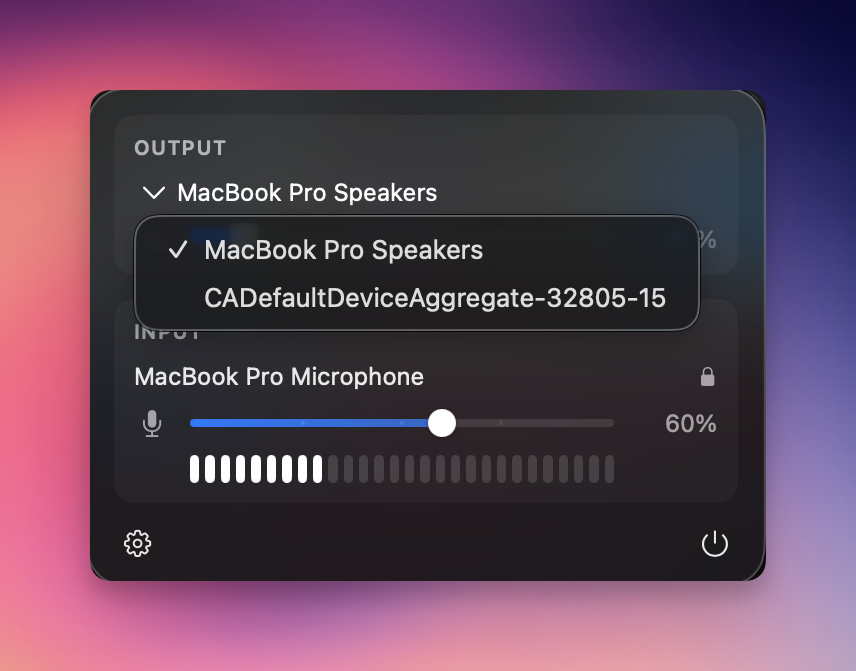
Your current mic and output device are right there in the menu bar. One glance tells you what's live. One click switches device. Join the call, glance, speak. That's it.
Working from home, with kids
Your kids burst in. Your mic betrays you.
You're in a meeting on your internal mic and speakers. Suddenly, domestic chaos. You hit mute, grab your headset, plug it in, and carry on, except macOS silently un-muted you the moment the device changed. Ten seconds of household noise, broadcast to the whole meeting. The exact thing you were trying to avoid.
With Sotto
Muted means muted. Period. Plug headphones, unplug them, swap interfaces, your mute state holds. Life can interrupt the room. It doesn't interrupt the meeting.
Monday, 9:03 a.m., the coworking space
Your Mac wakes up and blasts Netflix at the whole room.
Last night you watched a film with headphones. The headphones are gone. The volume is still at 80 %. You open your laptop in a quiet office, a meeting room, a café, and every head turns. You're the one who disturbed everyone.
With Sotto
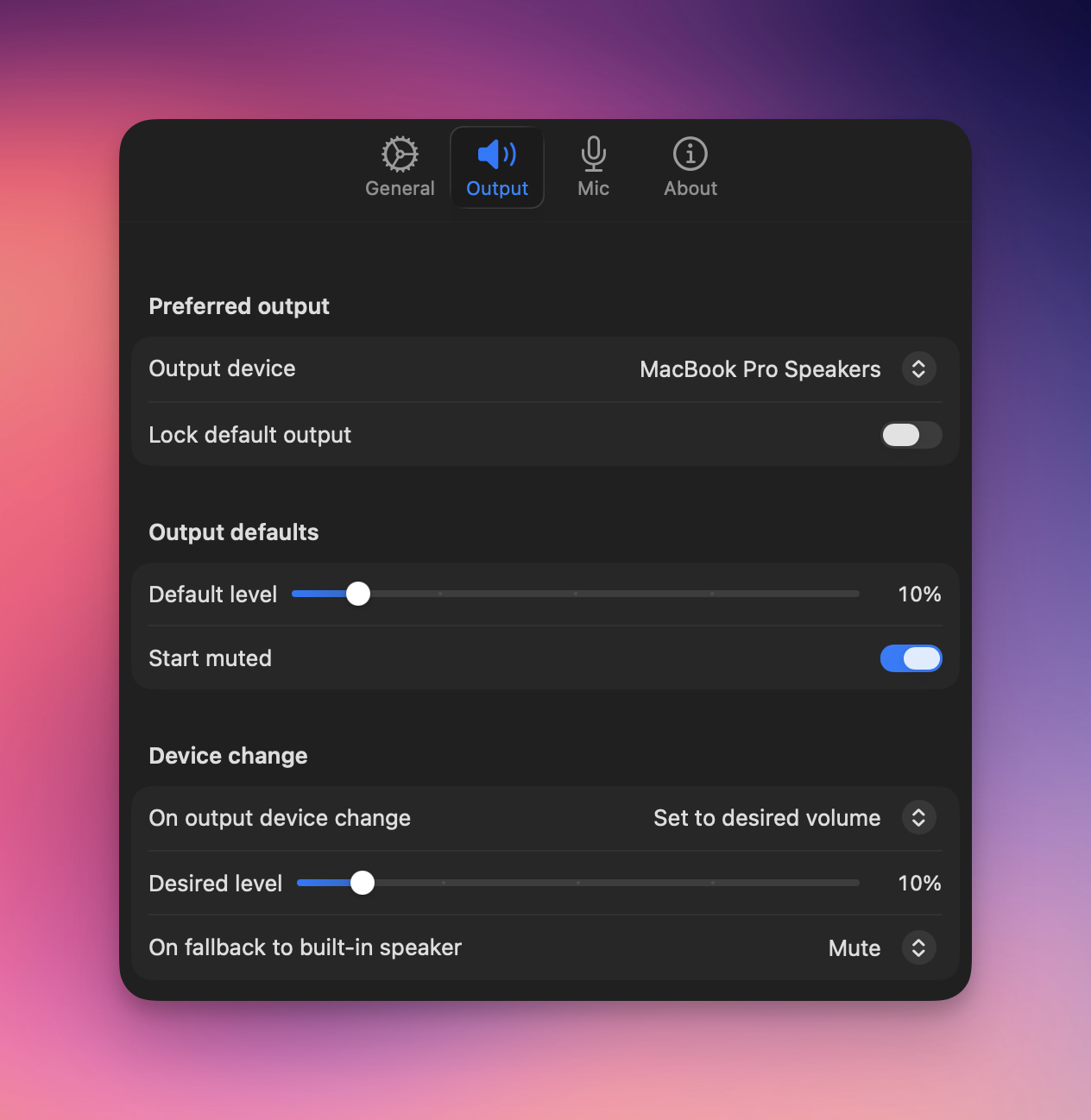
Your Mac wakes up silent. Every single time. You choose what happens next: stay muted, restore the level you had, or start at a volume you trust. No more 9 a.m. apologies.
Someone interrupts you, right now
Which app do I mute, again?
Zoom, Teams, Meet, Slack huddles, Discord, each with its own mute button, buried in its own window. When you need to go silent right now, you spend three seconds hunting the right app, in front of everyone, and that's the moment they all hear the dog.
With Sotto
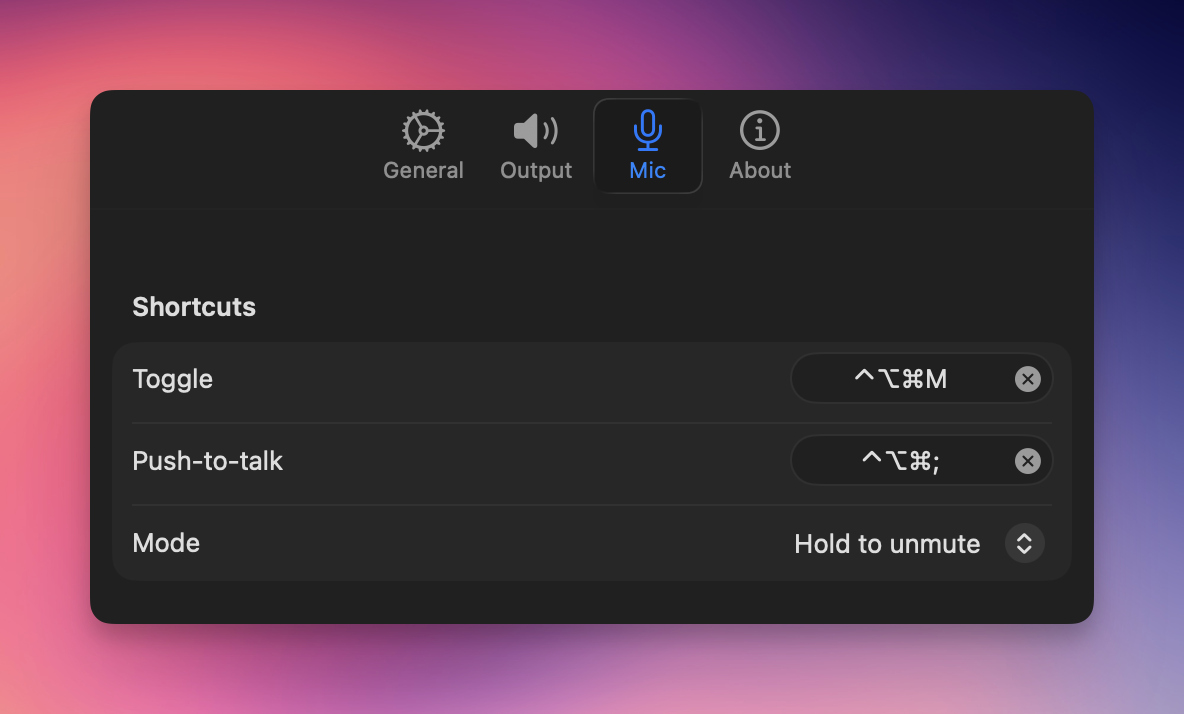
One shortcut. Every app. Instantly silent. Hold another shortcut for push-to-talk. Whatever window you're in, your mic obeys. No hunting. No hesitation. No explanations afterwards.
Mid-call device switch
Plug in headset, lose the mic you were on.
You're on Zoom with a clean setup. You pop in headphones for a second wind, and macOS silently re-routes everything, including to a worse mic, sometimes to no mic at all. Suddenly you're garbled or inaudible, and everyone notices before you do.
With Sotto
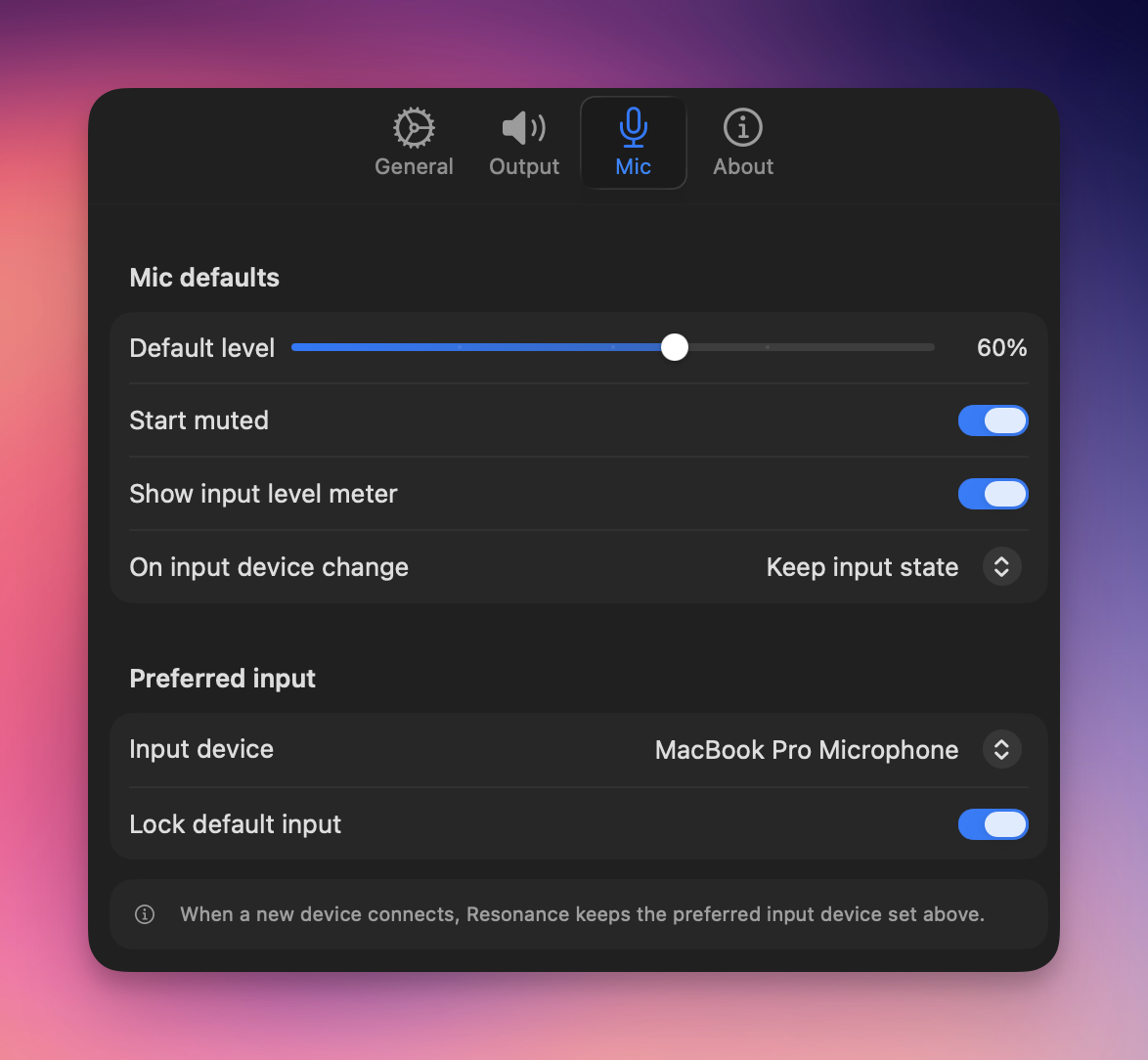
Pin the mic and speakers you trust, independently. Plug, unplug, swap headsets all day. The call stays on the setup you chose, full stop.
What people actually say after a month with Sotto
Small app. Big difference, every day.
Three everyday moments where Sotto quietly does its job. Same Mac. Same meetings. Fewer embarrassing moments.
I drop into last-minute meetings without a second thought, whatever I was doing two seconds before. Sotto changed how my day runs, I can't work without it.
Switching audio devices mid-meeting because my AirPods ran out of battery, or realising halfway through I was on the wrong mic, used to be my daily pain. With Sotto, that problem just disappeared from my day.
Never be that person again.
Pay once. No subscription. No configuration. Just open your Mac and start your meeting.
Get it on the App Store · $3.99Frequently asked questions.
Which macOS versions are supported?
Sotto requires macOS 14 Sonoma or later and runs natively on both Apple Silicon and Intel Macs.
Does Sotto record or stream any audio?
No. Sotto never records, streams, or stores audio. It only reads and controls your input/output device state. No data leaves your Mac.
Which video-call apps work with Sotto?
All of them. Sotto's mute, push-to-talk and device-lock operate at the OS level, so they apply to any app that uses your Mac's microphone or speakers , Zoom, Google Meet, Microsoft Teams, Slack huddles, Webex, Discord, FaceTime, OBS, or anything else, now or in the future.
What is push-to-talk and how do I use it?
A must-have for meetings in noisy environments or when the kids aren't far. Push-to-talk mutes your mic by default and unmutes only while you hold a shortcut. Sotto ships with no default chord , record one in preferences, and you can invert it as hold-to-mute.
Will my mute state survive plugging in headphones?
Yes. Sotto keeps your mute state even when macOS switches input or output devices, so changing headsets mid-call won't silently un-mute you.
Why does my Mac blast sound when I open it in the morning?
Because macOS restores the last volume it had, often at full blast if your headphones were unplugged overnight. Sotto forces a silent wake and lets you choose what happens next , stay muted, restore your last level, or start at a fixed percentage you trust.
Can Sotto keep my built-in speakers quiet when I forget my headphones?
Yes. When headphones or an external audio interface are connected, Sotto keeps the built-in speakers silent. When you unplug, it can restore the speakers to the level you left , or keep them muted, your call.
Do I need to configure anything after installing?
No. Sotto launches at login with sensible defaults and uses native macOS preferences , four tabs, General, Output, Mic, About. Most people install it, pick a shortcut, and never open the preferences again.
What's the recommended way to use Sotto?
Keep your mic muted by default and unmute only when you speak, either with push-to-talk (hold the chord while talking) or by toggling the global mute shortcut. It's the simplest way to make sure background noise, side conversations, or your kids never reach the meeting.
Should I switch mics during a meeting if I plug in headphones or AirPods?
No, and that's the whole point of pinning. The built-in Mac microphones are excellent. Pin them in Sotto and turn on macOS Voice Isolation, and your voice stays at a consistent volume and quality for the people you're talking with, even when you swap to AirPods or a headset for your own listening comfort or because you're low on battery. Same mic, same sound, full flexibility.